
Introduction
Email marketing remains one of the most powerful tools for building relationships, nurturing leads, and increasing sales. However, manually sending emails to every subscriber can quickly become overwhelming as your audience grows.
Fortunately, email automation solves this problem.
By automating email campaigns, businesses can deliver the right message to the right person at the right time without manually sending every email. As a result, companies can save time, improve customer engagement, increase conversions, and build stronger customer relationships.
Moreover, email automation allows you to stay connected with subscribers even while you focus on other aspects of your business. Therefore, instead of constantly managing individual emails, you can create systems that work for you 24 hours a day.
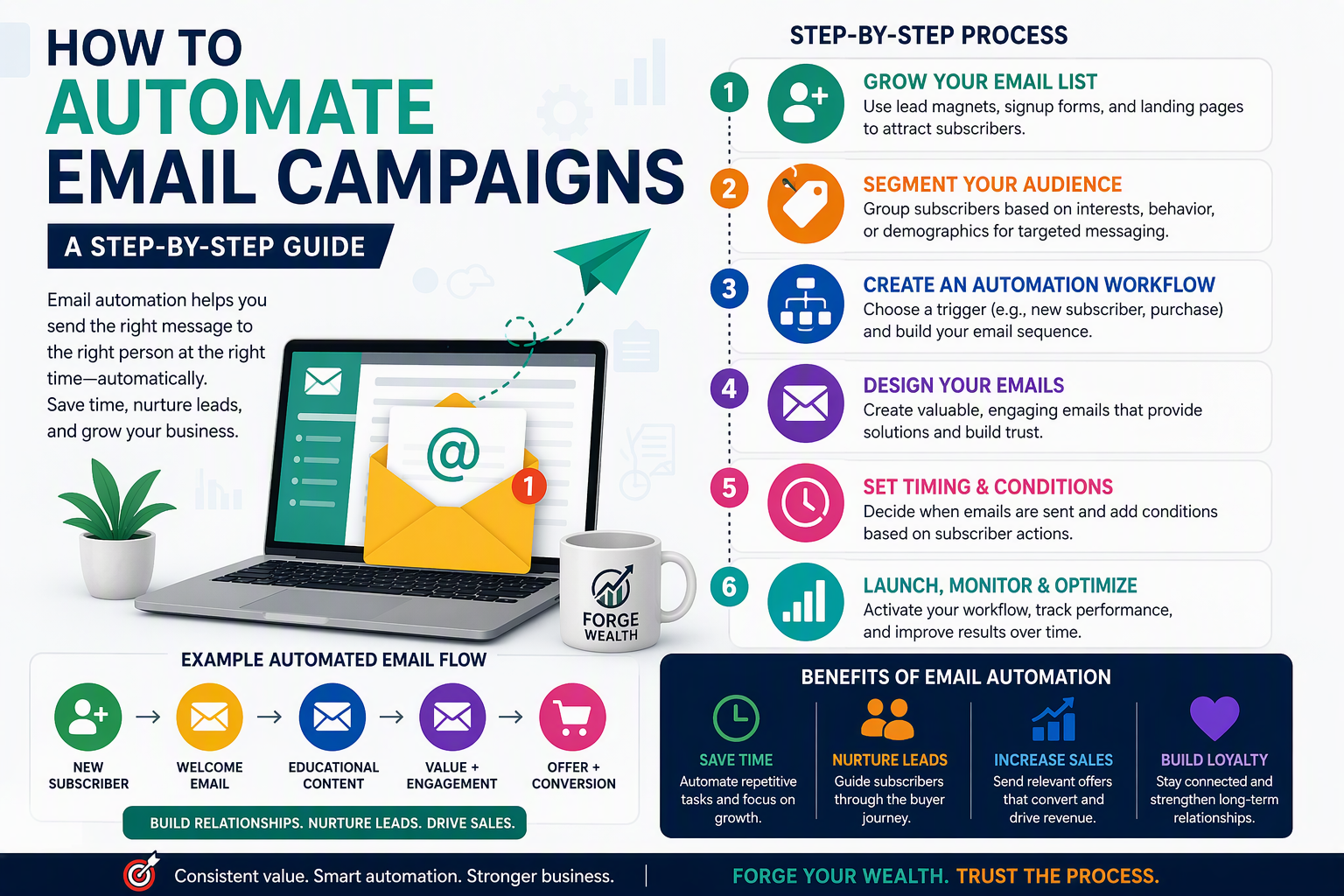
In this guide, you’ll learn exactly how to automate email campaigns, why automation matters, and the step-by-step process for creating automated email workflows that generate results.
What Is Email Automation?
Email automation is the process of automatically sending emails based on specific actions, behaviors, or triggers.
Instead of manually sending every email, automation software sends messages according to predefined rules.
For example:
- A welcome email after someone subscribes
- A follow-up email after a guide is downloaded
- A reminder when a shopping cart is abandoned
- A birthday email
- A re-engagement message when subscribers become inactive
Consequently, businesses can deliver timely and personalized communication at scale.
Why Email Automation Matters
Many business owners start by sending newsletters manually. While this may work initially, it becomes increasingly difficult as the subscriber list grows.
Email automation provides several important benefits.
Saves Time
First of all, automation eliminates repetitive tasks.
Instead of manually sending hundreds of emails, you can create workflows once and allow them to run automatically.
Consequently, you spend less time managing emails and more time growing your business.
Improves Customer Experience
Customers expect relevant and timely communication. Therefore, automated emails help deliver information exactly when subscribers need it. For instance, a welcome email delivered immediately after signup creates a better first impression than one sent days later.
Increases Conversions
Automation allows businesses to nurture leads gradually. Rather than attempting to sell immediately, automated sequences educate, inform, and build trust. As a result, conversion rates often improve significantly.
Strengthens Lead Generation
Email automation helps guide prospects through the customer journey. Furthermore, it keeps potential customers engaged even if they are not ready to buy immediately.
Find steps that can be taken to setup email marketing
Step 1: Choose an Email Marketing Platform
Before automating anything, you need email marketing software.
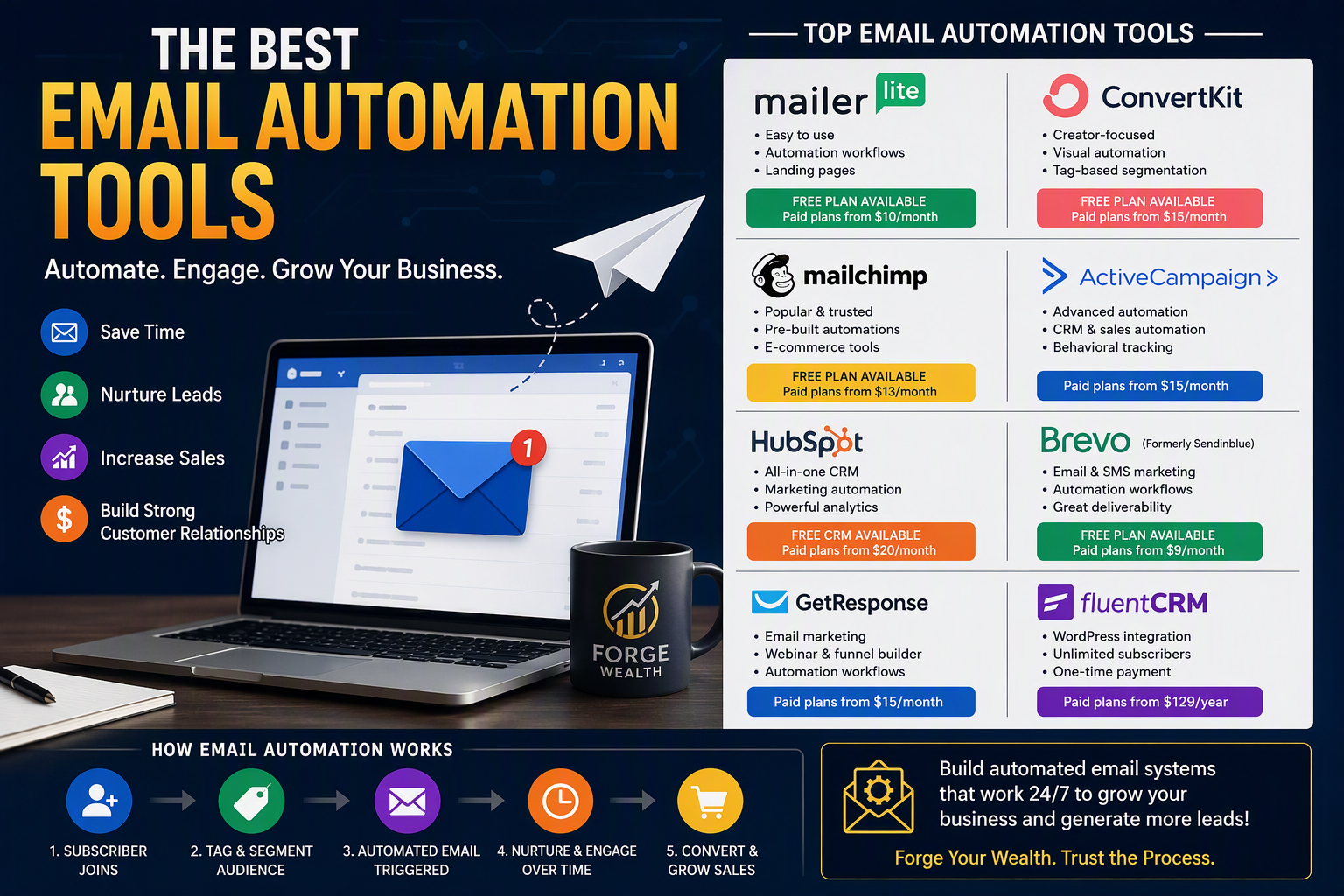
Some of the most popular platforms include:
Beginner-Friendly Platforms
- Mailchimp
- MailerLite
- Brevo (formerly Sendinblue)
Advanced Platforms
- ActiveCampaign
- ConvertKit
- GetResponse
- HubSpot
WordPress Integration
- FluentCRM
- MailPoet
- Groundhogg
For ForgeWealth, ConvertKit, MailerLite, or FluentCRM are excellent options because they are easy to use while offering powerful automation features.
Step 2: Build Your Email List
Automation works only if people are joining your email list. Therefore, your next step is creating lead-generation systems. You can collect email addresses through:
Signup Forms
Place forms on:
- Homepage
- Blog posts
- Sidebar
- Footer
- Landing pages
Lead Magnets
Offer something valuable such as:
- Free ebook
- Investment checklist
- Personal finance guide
- Budget planner
- Financial calculator
Example:
Download Our Free Financial Freedom Blueprint
In exchange, visitors provide their email addresses.
As a result, your list grows with qualified leads.
Step 3: Define Your Campaign Goal
Before creating automation, ask yourself:
What action do I want subscribers to take?
Your answer determines the campaign structure.
Common goals include:
Lead Nurturing
Build trust and educate prospects.
Sales
Promote products or services.
Engagement
Encourage interaction with content.
Retention
Keep existing customers active.
Re-Engagement
Reconnect with inactive subscribers.
Without a clear goal, automation often becomes ineffective.
Therefore, define your objective first.
Step 4: Create a Welcome Email Sequence
Every automated system should begin with a welcome sequence.
After all, first impressions matter.
A welcome series introduces subscribers to your brand and sets expectations.
Example Welcome Sequence
Email 1: Immediate Delivery
Subject:
Welcome to ForgeWealth!
Content:
- Thank the subscriber
- Deliver promised lead magnet
- Introduce your brand
Email 2: Day 2
Subject:
Our Mission at ForgeWealth
Content:
- Tell your story
- Explain your mission
- Share your core values
Email 3: Day 4
Subject:
Our Most Popular Resources
Content:
- Feature top blog posts
- Share valuable tools
Email 4: Day 7
Subject:
Let’s Build Wealth Together
Content:
- Invite engagement
- Ask questions
- Encourage replies
Consequently, new subscribers become familiar with your brand.
Step 5: Set Up Automation Triggers
A trigger is an event that starts an automation.
Examples include:
Subscriber Joins Your List
Trigger:
New Subscriber
Action:
Start Welcome Sequence
Ebook Download
Trigger:
Downloaded Financial Guide
Action:
Send Educational Series
Product Purchase
Trigger:
Customer Completes Purchase
Action:
Send Thank You Email
Subscriber Inactive for 30 Days
Trigger:
No Opens or Clicks
Action:
Send Re-Engagement Campaign
Thus, automation responds automatically to subscriber behavior.
Step 6: Segment Your Audience
Not every subscriber wants the same content.
Therefore, segmentation improves relevance.
For example:
Personal Finance Subscribers
Interested in:
- Budgeting
- Saving money
- Debt reduction
Investing Subscribers
Interested in:
- Stocks
- ETFs
- Portfolio building
Crypto Subscribers
Interested in:
- Bitcoin
- Blockchain
- Crypto markets
By segmenting your audience, you can send highly targeted messages.
Consequently, open rates and click-through rates often increase.
Step 7: Build a Lead Nurturing Sequence
Many people subscribe but don’t purchase immediately.
Therefore, nurturing becomes essential.
Example Lead Nurture Workflow
Day 1
Welcome email
Day 3
Helpful blog article
Day 7
Educational case study
Day 10
Personal success story
Day 14
Practical guide
Day 21
Product recommendation
This gradual approach builds trust before introducing offers.
As a result, subscribers are more likely to buy.
Step 8: Personalize Your Emails
Personalized emails outperform generic messages.
Therefore, use personalization whenever possible.
Examples include:
Name Personalization
Hi John,
instead of
Dear Subscriber
Interest-Based Personalization
Send investing articles to investors.
Send cryptocurrency content to crypto enthusiasts.
Consequently, subscribers receive content relevant to their interests.
Step 9: Create Conversion Campaigns
Once trust has been established, you can create sales-focused campaigns.
However, always provide value before pitching.
A simple campaign might look like:
Email 1
Problem awareness
Email 2
Solution education
Email 3
Case study
Email 4
Offer introduction
Email 5
Limited-time promotion
This progression feels natural rather than overly sales-focused.
Step 10: Monitor Performance Metrics
Automation is not a “set it and forget it” system.
Instead, monitor key metrics regularly.
Open Rate
Measures email openings.
A low open rate may indicate poor subject lines.
Click-Through Rate (CTR)
Measures link clicks.
Higher CTR generally indicates stronger engagement.
Conversion Rate
Measures desired outcomes.
Examples:
- Sales
- Signups
- Downloads
Unsubscribe Rate
High unsubscribe rates may signal excessive promotion or irrelevant content.
Therefore, review these metrics frequently.
Essential Automated Campaigns Every Business Should Have
Welcome Series
Introduces new subscribers.
Lead Nurture Campaign
Builds trust over time.
Re-Engagement Campaign
Reconnects inactive subscribers.
Abandoned Cart Campaign
Recovers potentially lost sales.
Customer Onboarding Campaign
Helps new customers get started.
Product Recommendation Campaign
Encourages repeat business.
These automations consistently generate results for many businesses.
Common Email Automation Mistakes
Sending Too Many Emails
While consistency matters, excessive emails can overwhelm subscribers.
Therefore, prioritize quality over quantity.
Ignoring Segmentation
Generic messaging often reduces engagement.
Instead, send targeted emails whenever possible.
Being Too Sales-Oriented
People subscribe because they want value.
Consequently, educational content should often outweigh promotional content.
Failing to Test Campaigns
Always test:
- Subject lines
- Links
- Personalization
- Timing
Otherwise, mistakes may go unnoticed.
Final Thoughts
Email automation is one of the smartest investments a business can make.
Not only does it save time, but it also improves lead generation, strengthens customer relationships, and increases conversions. Furthermore, automation allows businesses to scale communication without sacrificing personalization.
Most importantly, successful automation isn’t about sending more emails. Instead, it’s about sending the right emails at the right time to the right people.
Start small.
Create a welcome sequence.
Build a lead nurturing campaign.
Segment your audience.
Monitor performance.
Then continue improving.
Over time, your automated email system can become one of the most valuable assets in your business.
“The most effective email campaigns don’t feel automated. They feel personal, timely, and valuable.”
References
- Mailchimp – Email Automation Guide
https://mailchimp.com - HubSpot – Marketing Automation Resources
https://www.hubspot.com - ConvertKit – Email Marketing Automation Tutorials
https://convertkit.com - Campaign Monitor – Automated Email Marketing Best Practices
https://www.campaignmonitor.com - ActiveCampaign – Automation Strategy Resources
https://www.activecampaign.com - Google Digital Garage – Digital Marketing Fundamentals
https://learndigital.withgoogle.com
Related Article
The FIRE Movement Explained: Can You Retire Early? – Forgewealth.org



One thought on “How to Automate Email Campaigns: A Step-by-Step Guide”